I’m brand new to this space, so apologies in advanced for anything obvious that I may have missed.
I find it very useful to just get [stuck in] with Infrastructure in order to learn new concepts, and when I saw there was a “one-click deployment” for AWS, I thought that would be a great starting point. However, I’ve been encountering some issues, and I’m not sure how to progress.
Issue 1
I get started with this README:
It states that you must already be setup with eSignet and Sunbird RC, and directs you to the following repository (which doesn’t seem to exist):
It’s unclear to me what prerequisites I need to get set up with before I start setting up the Inji stack.
It would also be good to know if any outputs from eSignet and Sunbird RC are needed for the Inji setup. I think at the moment that is also a little unclear.
Issue 2
I decided to push ahead even without eSignet/Sunbird RC (just to see what happens), so I went into this README:
All noted Prerequisites have been met.
A minor comment is that the instructions tell you to cd into a directory called inji-aws-automation (which doesn’t exist), but I assumed it meant the aws directory.
I then attempt to run cdk bootstrap aws://<ACCOUNT-NUMBER>/<REGION> (replacing values appropriately), but I receive the following error:
I thought about just adding the line back in, but it looks like this configuration was also quite purposefully commented out from configuration requirements, and there is no reference to it in the required environment variables:
Issue 3 (maybe?)
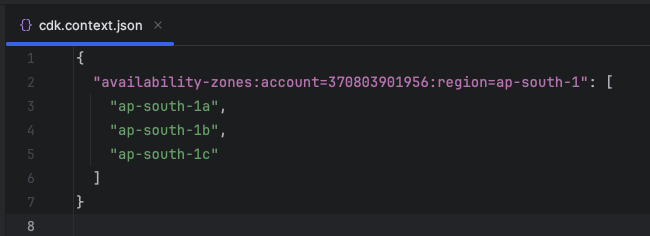
I also spotted some hardcoded accounts in files that aren’t mentioned in the README, and I’m wondering if those might be problematic for future steps. EG:
Issue 4 (maybe?)
I’m not sure if this bin file is used at any point, but I noticed that aws/inji-certify-aws-automation/bin/inji-certify-aws-automation.ts also has an import for a file that doesn’t exist (though, also, the import doesn’t appear to be used, so perhaps it can just be removed):
Rewinding back to the start
So, I absolutely appreciate that there are lot of complex topics that go into this technology, and it’s probably not ideal that I’m trying to dive right in, but again, this is how I find that I learn best, so it would be amazing if there were some step by step (and end to end) instructions (even if they are far more manual and not “one-click”) that will get folks like myself up and running at some basic level so that we’re free to start playing around.
Thank you so much for reading, and thank you in advance for any help!
Thank you again for raising this and for your continued engagement.
To support a smoother setup and to address the gaps you encountered, we are sharing a detailed deployment guide covering the end-to-end environment setup, tool prerequisites, cluster configuration, and Wireguard access required for Inji stack deployment. Below are the prerequisites given, and for the detailed doc, click here!
Once the prerequisites are completed, then we can move to the next steps to set up each module
Let us know if you face any blockers during any prerequisite steps. We’ll prioritize support and keep updating this thread as we resolve open variables or missing references.